TL;DR
- Spam filters flag emails when your visible link doesn’t match the actual destination (a pattern that looks identical to phishing)
- Most recruitment agencies make this worse without knowing it: ATS platforms, outreach tools, and calendar links all rewrite or expose URLs in ways that get flagged
- The fix is consistent: hyperlink words not raw URLs, set up a branded tracking domain on your outreach platform, and stop using free link shorteners entirely
This is one of those problems that’s easy to fix but rarely talked about. Email platforms and ATS providers don’t warn you when you’re about to do something that’ll send your campaigns straight to junk. They probably should. Until they do, here’s what’s actually happening and how to sort it.
Why Links Get Emails Flagged
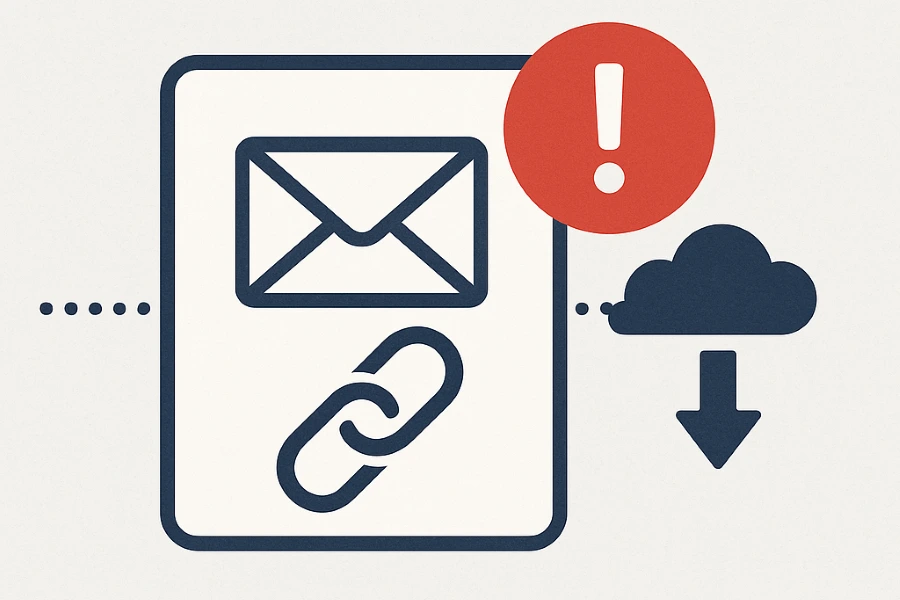
Most email platforms track clicks. To do that, they rewrite your links so they redirect through a tracking domain before reaching the real destination. To a human, this is invisible. To a spam filter, it looks exactly like phishing.
Here’s what’s happening under the hood:
- What your recipient sees in the email: https://youragency.com/jobs
- What the link actually does: https://tracking.youremailplatform.com/redirect?url=youragency.com/jobs
That mismatch between what’s displayed and where the link actually points is one of the primary signals spam filters use to catch phishing emails. Up to 85% of phishing attacks involve rewritten or misleading links which means security filters are specifically trained to catch this pattern. Your perfectly legitimate outreach email looks the same to the filter as a fake invoice from a scammer.
There’s also a secondary problem: raw URLs in email bodies. Pasting https://youragency.com/jobs/senior-consultant-london directly into an email body signals lazy construction, and lazy construction is associated with spam. It’s not a fatal signal on its own, but it adds to an accumulating score.
The Common Offenders
Most link problems in emails come from one of four places:
- Email signatures that show a full raw URL rather than hyperlinking the company name or logo
- Templates that paste full web addresses into the body instead of linking natural words
- Free link shorteners like Bitly, spam filters treat these as a serious red flag. Bitly links are used so heavily by spammers that using one is roughly the equivalent of wearing a trench coat to a job interview
- Unbranded tracking domains: when your email platform rewrites links through its own generic domain rather than yours
What This Means for Recruitment Agencies Specifically
Most industries send one type of email from one platform. Recruitment agencies typically have three or four systems sending email simultaneously and each one handles links differently.
ATS-generated emails
Platforms like Bullhorn, Vincere, and JobAdder generate automated emails on your behalf: interview confirmations, stage updates, candidate notifications, job alerts. Most agencies don’t realise these emails contain auto-generated links pointing to the ATS’s own infrastructure rather than their own domain.
An email that arrives from you@youragency.com but contains links pointing to notifications.bullhornstaffing.com presents exactly the kind of domain mismatch that spam filters are trained to catch. You often can’t control what the ATS puts in these links but you can make sure the rest of your email authentication is clean enough that the message passes on its other signals. That’s where SPF, DKIM, and a solid sender reputation carry the weight.
Mass outreach platforms
Tools like Lemlist, Instantly, Outreach.io, and Apollo all rewrite your links through their own tracking infrastructure by default. A candidate who receives your outreach sequence and hovers over “view the job spec” sees a link with nothing to do with your domain. Microsoft Defender and Gmail’s phishing filters are specifically looking for this pattern.
The fix is setting up a branded tracking domain on your outreach platform so clicks resolve through your domain rather than the tool’s. Most platforms support this but bury the setting. It takes about 20 minutes and makes a measurable difference to deliverability on high-volume sequences. See our post on why branded tracking links outperform generic ones for a full walkthrough.
Recruitment email sequences
Automated sequences compound the problem. A five-step sequence with three links per email, sent to 500 candidates, generates thousands of link-based signals for spam filters to evaluate. One problematic link in step one can affect the deliverability of the entire sequence.
The most common culprits in recruitment sequences:
- Job spec links pointing to third-party job boards rather than your own site
- LinkedIn profile URLs pasted raw into the email body
- Calendar booking links (Calendly, HubSpot Meetings) using the platform’s default domain rather than a branded one
- “Unsubscribe” links pointing to a domain the recipient has never seen
None of these are fatal individually. Together, they build a profile that looks suspicious — particularly on a cold list at high volume.
How to Fix It
Hyperlink words, not raw URLs Instead of pasting a URL into your email body, link natural text: “view the job spec”, “book a call”, “visit our website”. The link goes where it always did. The URL just isn’t visible.
Hyperlink logos and icons Your company logo in the email header or footer can link cleanly to your homepage without exposing a URL. Same with social icons in your signature.
Set up a branded tracking domain Most outreach platforms let you configure a custom tracking domain so clicks resolve through your subdomain (e.g. track.youragency.com) rather than the platform’s generic one. This removes the domain mismatch that flags your emails. If you’re on Lemlist, Instantly, Apollo, or similar, find this in your platform settings and do it today.
Use HTTPS on everything HTTP links are a spam signal. If you’re still linking to any non-secure URLs, update them.
Stop using free link shorteners Bitly, TinyURL, and similar services are widely abused by spammers. No spam filter gives them the benefit of the doubt. There’s no use case in recruitment email where a free link shortener is the right choice.
Copy links directly from your browser Don’t type URLs by hand, don’t guess at paths. Copy-paste from the browser address bar. One character wrong and you’ve got a broken link — which is its own deliverability and trust problem.
Test before you send Before rolling out to a full list, send test emails to seed inboxes behind Gmail, Outlook, and Microsoft 365. If links trigger warnings there, they’ll do the same everywhere.
Safe Linking Checklist
- No raw URLs in your email body or signature
- Words hyperlinked naturally (“book a call”, “view the spec”). not pasted URLs
- Logos and icons linked to your homepage or social profiles
- Branded tracking domain configured on your outreach platform
- All links using HTTPS
- No Bitly or free link shorteners anywhere
- Final links copy-pasted from a browser, not typed by hand
- Tested in Gmail, Outlook, and Microsoft 365 before sending
Links are one piece of the deliverability picture. If your recruitment campaigns are being flagged despite clean links, the problem is usually elsewhere. Sender reputation, authentication records, or list quality. We can run a full audit and tell you exactly what’s causing it.
Book a free 30-minute call with Quinset and we’ll give you a domain reputation read and a practical action plan.